

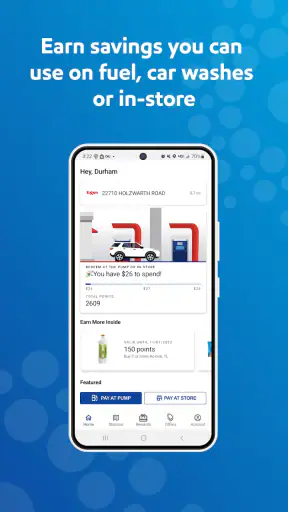
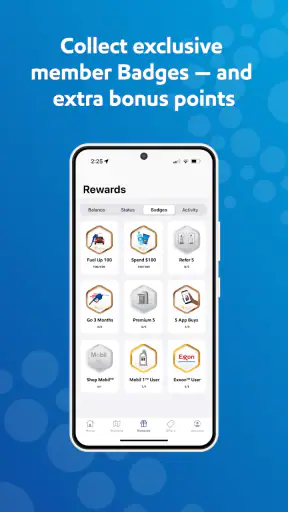
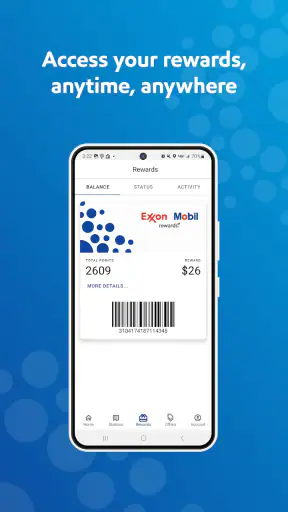
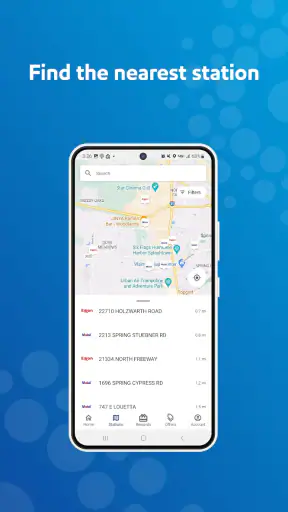
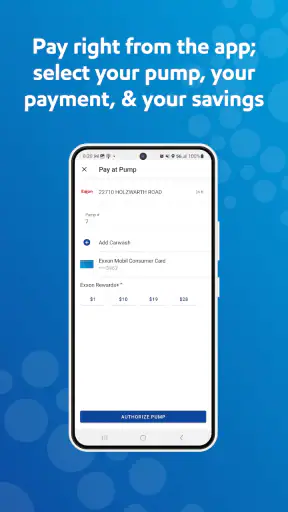
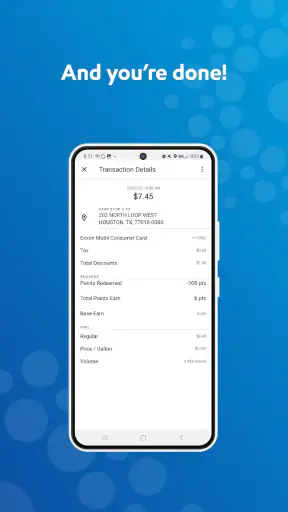
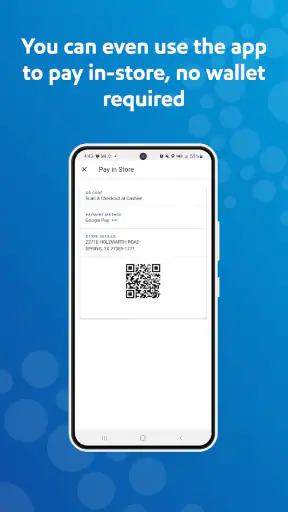
When I need to make a fuel stop less forgettable, I look for two things: a practical way to find an Exxon or Mobil station and a simple way to keep track of rewards. That is the basic appeal of Exxon Mobil Rewards+, a free Maps & Navigation app from ExxonMobil. I see it as a focused companion for drivers who regularly use these stations, rather than as a complete replacement for a general navigation app.
The distinction matters. A broad navigation service is usually better for planning an unfamiliar journey, comparing many fuel brands, checking traffic, and handling several stops. This app has a narrower job. It connects station-finding with the Exxon Mobil rewards experience, so the value depends heavily on where you buy fuel and how often you return to the same brand.
After looking at the app as an everyday driving tool, my opinion is fairly clear: it makes the most sense when Exxon and Mobil stations are already part of your routine. If you simply want the cheapest fuel nearby, regardless of brand, a wider search tool may serve you better. If you want brand-specific rewards and a faster way to identify participating locations, this is a more relevant choice than a generic map.
What I would consider before switching
Start with your actual fuel routine
The first question is not whether the app is free. It is whether Exxon or Mobil stations are convenient for your normal routes. A rewards app cannot compensate for a station that is consistently out of the way. I would think about the roads I use for commuting, school runs, shopping, and longer trips, then decide whether this brand appears often enough to justify another app on my phone.
The app is listed for Everyone, which suits its straightforward purpose. It is not presented as a specialist driving simulator or a complicated travel planner. The experience is aimed at ordinary drivers who want fuel-related information and rewards in one place. That makes the learning curve less intimidating, especially if you are not interested in configuring a detailed navigation system.
I also consider whether I already use a separate map app successfully. If my current navigation tool can locate nearby fuel stations, the extra reason to install this one is the Exxon Mobil Rewards+ connection. In other words, the decision is less about replacing maps and more about deciding whether brand-linked rewards are useful enough to deserve their own workflow.
Look beyond the headline features
The store summary points to gas stations and fuel rewards points, while the short description identifies Exxon Mobil Rewards+. Those phrases describe the purpose, but they do not tell you how useful the app will feel during a rushed stop. For me, the important test is whether it reduces small decisions: finding a suitable station, checking the relevant location before turning off the road, and keeping the rewards process connected to the visit.
A useful habit is to open the app before leaving for a longer drive rather than waiting until the fuel warning appears. That gives me time to compare the stations shown along my route with the route I already planned. It also avoids the common mistake of choosing a station simply because it appears first when I am already low on fuel and distracted by traffic.
Another practical point is to treat the app as a brand-focused layer, not as a complete source of driving judgment. I would still check the overall route in my usual navigation tool, especially for traffic, road closures, complicated junctions, or a journey where arrival time matters. The fuel app can help with the station decision without becoming the only tool I trust for the entire trip.
Rewards are useful only when the workflow feels natural
Rewards programs often sound attractive but lose their value when they require too much attention at the pump. My preferred routine is simple: use the app before stopping, make sure I understand which station I am heading to, and then complete the purchase without trying to manage several screens while parked near moving vehicles. That small change makes the app feel like preparation rather than a distraction.
I would also avoid assuming that every stop should be chosen for rewards alone. A slightly longer detour, an inconvenient entrance, or a busy location can erase the practical benefit of points. The better trade-off is to use the app when an Exxon or Mobil station already fits the route, not to reshape every journey around the rewards system.
This is one of the less obvious lessons of a brand-specific app: convenience and loyalty are separate benefits. The app can make a familiar brand easier to use, but loyalty should not automatically override fuel price, distance, opening convenience, or the safety of the route. I would keep those factors in view before treating points as a reason to change plans.
Version and device considerations
The current version is 6.6.0, and the listed minimum operating-system requirement is 9. That makes the app accessible to many older devices, although anyone using an unusually old phone should still check compatibility before relying on it for a trip. I would install and sign in at home, not in a parking lot, so I could resolve any account or setup friction without holding up a fuel stop.
The app has been available since July 30, 2013, which gives it a long presence compared with many short-lived mobile services. Its audience is also substantial: it has more than a million installs, with an average rating of 3.6 from roughly thirty-four thousand ratings. I read that combination as a sign of a useful but not universally smooth experience. Plenty of drivers find a reason to keep it, while the middling rating suggests that expectations and real-world convenience do not match for everyone.
Where Exxon Mobil Rewards+ is strongest
A sensible fit for regular Exxon and Mobil customers
The clearest strength is focus. If I already choose Exxon or Mobil stations, a dedicated app is easier to understand than a general map filled with unrelated businesses, restaurants, and travel results. The brand connection gives the app a specific purpose, and that purpose is easier to remember when I am planning a stop or checking fuel-related rewards.
This focus is especially useful for people who drive predictable routes. Consider a weekday commute: I leave work with enough fuel for the trip home but know I will need to refuel soon. Instead of searching broadly and then sorting through several station listings, I can use the brand app to look for a suitable Exxon or Mobil location near the route. The best outcome is not a dramatic change to the journey; it is a few fewer decisions when I am tired and ready to get home.
The same applies to repeated errands. If I commonly pass one of these stations near a supermarket or office, the app becomes part of a routine rather than an occasional download. That is where a focused rewards tool can beat a general-purpose map: it remembers the reason I opened it.
It can make pre-trip fuel planning more deliberate
Many drivers wait until the fuel gauge creates urgency. I prefer to plan the stop while I still have flexibility. With this app, I would check for an Exxon or Mobil option before starting a longer drive, then decide whether it fits the route. That workflow is more valuable than searching while moving, because it lets me choose a stop based on timing and direction instead of panic.
A useful technique is to identify one primary station and one backup before departing. The first should be convenient for the route; the second should be considered only if the first stop is busy, awkward to enter, or no longer suitable. This approach prevents the rewards feature from turning into tunnel vision. I still get the benefit of brand-specific planning while keeping a practical alternative in mind.
For families, this preparation can be helpful too. A parent managing passengers does not want to spend extra time comparing fuel locations at the last moment. Checking the app before leaving can turn the stop into a planned part of the journey, particularly when the station is near another necessary errand.
The free price lowers the experiment cost
Because the app is free, trying it does not require a subscription decision or a financial commitment. That makes it reasonable to test for a few normal trips instead of judging it from the store description. I would use it during my regular driving, see whether the station search and rewards routine actually save effort, and remove it if the process adds no value.
The free price does not mean the app is automatically worthwhile for every driver. The real cost is attention: another account, another app to maintain, and another place to check before a purchase. Still, the absence of an upfront charge makes the decision reversible. For a frequent Exxon or Mobil customer, that is a fair reason to give it a chance.
Useful brand context without pretending to be a universal map
ExxonMobil is the developer, and the app stays centered on that company’s fuel network and rewards experience. I appreciate that clarity. A general navigation app may show more categories, but it can also make the fuel-specific task feel buried among unrelated results. Here, the reason for opening the app is obvious.
The trade-off is equally clear. I would not expect this app to be my only travel tool. For a road trip through unfamiliar areas, I would use a full navigation service to understand the entire journey, then use this app as a brand-specific check when an Exxon or Mobil stop is relevant. That combination is more sensible than forcing one app to handle every driving need.
Where other options may fit better
General map apps win for broad comparison
If my priority is finding the lowest-priced fuel from any nearby brand, a general map or fuel-search service is likely the better starting point. Those tools are designed around wider discovery, while this app is built around Exxon and Mobil. Choosing the brand app when price comparison is the main goal could narrow my options too early.
The same is true when I need traffic-aware route planning, public transport information, walking directions, business discovery, or a full view of a complicated trip. A dedicated map app usually has a broader role. I would not abandon that tool simply because I installed a rewards app.
There is also a difference between finding a station and deciding whether it is the best stop. A brand-focused result can answer the first question within its own network, but my final decision may depend on distance, direction, fuel price, facilities, traffic, and the time of day. A broader service may make that comparison easier.
Fuel-price tools may be better for budget-first drivers
Drivers who make every fuel purchase around the lowest available price may find the rewards angle less persuasive. Points can be useful, but they are not the same as an immediate price comparison. If I am traveling on a tight budget, I would first check the total cost of the stop, including any detour, rather than assuming that staying within one brand is the cheapest choice.
This is an important exception for occasional Exxon or Mobil customers. If I only visit these stations when nothing else is convenient, the rewards workflow may not become a habit. In that situation, a general fuel-finding tool could offer more value because it does not depend on brand loyalty.
Some users should skip a dedicated rewards app
I would skip this app if I rarely drive, rarely use Exxon or Mobil stations, or already feel overwhelmed by several loyalty programs. The extra app is not a benefit when it creates more maintenance than convenience. I would also be cautious if I prefer to keep fuel purchases completely separate from mobile rewards workflows and do not want to build another digital routine around the pump.
Another reason to skip it is a strong preference for one all-purpose navigation app. If I want one screen for routes, traffic, destinations, and fuel options, adding a specialist tool may feel fragmented. The app works best for people who accept that division: one service for broad navigation and this one for Exxon Mobil-related decisions.
The real cost of changing my routine
Setup is easy, but habits take longer
Installing a free app is the simple part. The larger change is remembering to use it before a stop. I would not judge it after one hurried visit. Instead, I would try it across several ordinary journeys and ask three practical questions: Did it help me choose a station that fit my route? Did the rewards process feel worth the extra step? Did I still need another app for the information that mattered most?
If the answer is yes to the first two, the app has earned a place on my phone. If it only confirms stations I already know and does not improve the rewards experience, I would probably return to my usual map. This test keeps the decision grounded in behavior rather than the promise of collecting points.
Use it before driving, not while driving
The safest workflow is to handle station planning while parked or before departure. I would not interact with the phone while the vehicle is moving, even for a quick search. For a longer trip, I would decide on the fuel stop in advance, set up any navigation separately, and keep the app closed once I am on the road.
This also improves the experience. When I use a fuel app under time pressure, every small delay feels larger. When I use it at home or during a planned break, I can compare the station choice calmly and avoid making the rewards program the center of attention at a busy pump.
Keep a backup plan for real-world friction
A brand-specific plan should never be so rigid that it causes trouble. I would keep enough fuel for a reasonable alternative and remember that the nearest listed station may not be the most convenient entrance from my direction of travel. On unfamiliar roads, I would verify the complete route with my main navigation tool before committing to the stop.
This is a subtle but important trade-off: a focused app simplifies discovery within its own network, but that simplicity can hide the wider driving context. I see the best workflow as layered rather than exclusive. Let the app handle the Exxon Mobil decision, and let a broader navigation service handle the road around it.
My recommendation for different kinds of drivers
Who should install it
I recommend Exxon Mobil Rewards+ to drivers who regularly buy fuel at Exxon or Mobil stations and want a dedicated way to combine station planning with fuel rewards. It is particularly suitable for predictable commutes, repeated local errands, and drivers who prefer preparing a fuel stop before starting a journey.
The app’s free price makes testing straightforward, and its Everyone age rating keeps the intended audience broad. Its long availability and install base also suggest that it is not an obscure experiment. Still, the 3.6 average rating tells me to recommend it with realistic expectations rather than presenting it as flawless. I would install it because it matches a specific routine, not because every driver needs another map.
Who should use something else
I would point occasional Exxon or Mobil customers toward a general navigation or fuel-comparison option if their main goal is finding the cheapest or most convenient station from any brand. I would also choose a broader map first for road trips where traffic, route changes, and multiple destinations matter more than brand rewards.
For those drivers, this app may still be a useful secondary tool when an Exxon or Mobil station happens to fit the journey. It simply should not be mistaken for a universal replacement. The strongest experience comes from combining its narrow purpose with the wider capabilities already needed for serious route planning.
The bottom line
My final view is positive but selective. Exxon Mobil Rewards+ is a sensible free app for a specific kind of driver: someone who already uses Exxon or Mobil stations and wants fuel-related rewards to sit closer to the station-finding process. It can make routine stops more deliberate, especially when I plan them before leaving and avoid letting points override practical route decisions.
Install it if brand loyalty is already part of your driving routine; skip it if broad price comparison is your real priority. That is the clearest decision rule I can offer. The app does not need to replace a general map to be useful. It only needs to make Exxon Mobil stops easier enough, and the rewards workflow worthwhile enough, to justify becoming part of your normal pre-trip habit.


